Everyday updates
Save, preview, publish
Save a draft, review the exact preview, publish when ready, and follow the update status.
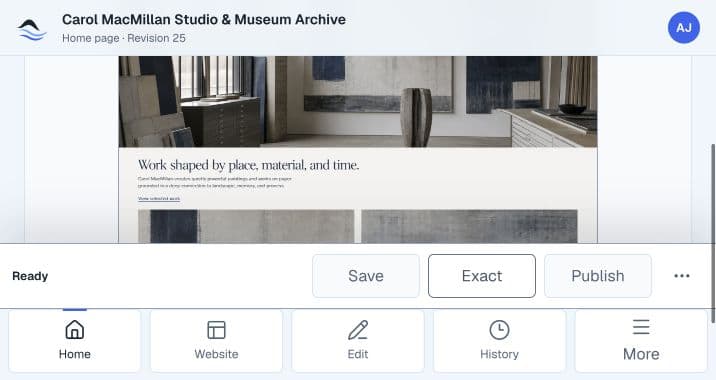
The basic workflow
- Update configured content.
- Save a draft.
- Review the exact preview.
- Publish the ready update.
- Follow the update status and publish history.
- If an outcome needs review, stop and contact support.
Save draft
Saving a draft stores the change in SiteFerry without changing the public website. This lets a client come back later, refresh the browser, or review with a team before publishing.
Preview
Exact preview shows the saved revision before it goes live. Use it to check wording, image choices, and page context.
Publish
Publishing sends the exact saved revision through the website's configured publishing workflow. It does not publish unsaved changes.
A live publish cannot automatically be undone. SiteFerry checks the outcome, and an uncertain result must be reviewed before anyone tries again.
| Status | Meaning |
|---|---|
| Draft saved | The change is stored, but the live site is unchanged. |
| Exact preview available | The saved revision is ready to review. |
| Publishing | The confirmed update is in progress. |
| Live | SiteFerry confirmed the live update. |
| No live change | SiteFerry confirmed that the website was not changed. |
| Needs review | The outcome is uncertain. Do not retry; contact support. |
Continue reading
Understand billing and accessUnderstand when publishing needs activation and how checkout stays separate from a saved update.Billing and access